
Download Teleport Ultra – Web Archiving, Website Cloning, Offline Browsing, File Retrieval, Web Crawler
Overview
Teleport Ultra is a specialized mobile application developed by Teleport Software, designed for the automated retrieval and archiving of web content. Tailored for users seeking efficient methods to collect and preserve online information, the app functions as a robust tool for web archiving, enabling the creation of offline browsable copies of websites. It supports multithreaded operations, allowing for rapid and selective file downloads based on user-defined criteria. This makes it particularly useful for researchers, content curators, and digital archivists who need to preserve web-based resources for future access.
The app builds upon its predecessor, Teleport Pro, offering an expanded feature set and a larger database, enhancing its capabilities in automated file retrieval and website cloning. Users can specify file types to download, search within targeted websites, and generate exact replicas of web pages with preserved structure and layout. This functionality is critical for maintaining digital records, especially in environments where consistent internet access is limited or unreliable.
Teleport Ultra is positioned as a productivity tool within the mobile ecosystem, addressing a niche but vital need for structured web content preservation. Its ability to clone entire websites and store them locally supports long-term research projects, educational initiatives, and legal documentation. The app’s focus on precision and efficiency underscores its value in a digital landscape where online content is increasingly ephemeral.
Key Features & Functionality
- Automated File Retrieval: The app automatically follows hyperlinks and downloads only the files specified by the user, such as PDFs, images, or documents. This reduces manual effort and ensures that only relevant content is collected.
- Offline Browsable Copies: Users can create fully functional offline versions of websites, preserving navigation, layout, and internal links. This enables access to archived content without requiring an active internet connection.
- Website File Searching: Teleport Ultra allows users to search within specific websites for files by type, streamlining the process of locating targeted content like presentations or technical documents.
- Exact Website Cloning: The app supports the complete replication of websites, including their directory structure, media, and scripts, ensuring that archived versions remain as close to the original as possible.
- Enhanced Database & Features: Compared to Teleport Pro, Teleport Ultra includes a significantly larger database and additional tools for managing and organizing retrieved content, improving overall usability and functionality.
For example, a researcher compiling materials on climate change could use the app to clone a government environmental agency’s website, automatically retrieving all downloadable reports and datasets. Similarly, a student preparing for a project could create an offline copy of an educational portal to study without interruptions.
Interface, UX & Performance
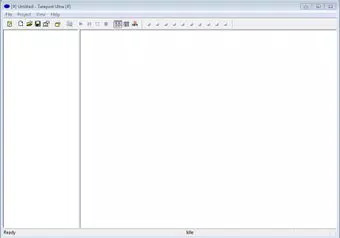
The user interface of Teleport Ultra appears to be designed with functionality and efficiency in mind, prioritizing task-oriented workflows over visual flair. Navigation is likely structured around core actions—defining targets, selecting file types, initiating retrieval, and managing archives—ensuring a clear path from setup to execution. The app’s layout probably supports intuitive configuration of download parameters, such as depth limits, file filters, and output directories.
Although the developer did not list formal performance metrics, the multithreaded architecture suggests optimized handling of concurrent downloads, which should improve retrieval speed on capable devices. The app is expected to maintain responsiveness during long-running operations, minimizing user frustration. Stability is likely maintained through robust error handling, especially when dealing with unreliable or slow web sources.
Performance across different device categories may vary depending on processing power and available memory, but the app’s lightweight size of 15.2 MB indicates a focus on efficiency. Users on older Android devices may experience smoother operation compared to heavier alternatives. The app’s ability to function without constant internet access further enhances its usability in low-connectivity environments.
Platform Compatibility & Technical Requirements
Teleport Ultra is available exclusively on the Android platform. It is compatible with Android devices running the specified version, though specific OS version requirements were not listed by the developer. The app has a file size of 15.2 MB, which is relatively compact for a tool with such advanced capabilities.
The developer did not specify minimum OS requirements, nor did they provide details about device compatibility beyond platform. This lack of information may affect users with older or non-standard Android versions. It is advisable to ensure the device meets general Android standards for app installation and operation.
For users seeking to install the app, it is recommended to verify compatibility with their device’s system specifications. The absence of iOS availability suggests a focus on the Android ecosystem for this particular product line.
Pros and Cons
Pros
- Efficient automated retrieval of web files with multithreaded support
- Ability to create fully functional offline copies of websites
- Supports precise file type filtering and targeted searches
- Exact website cloning preserves structure and content integrity
- Enhanced features and larger database compared to Teleport Pro
Cons
- Price point of $4.99 may be high for casual users
- Developer did not provide detailed technical specifications or OS requirements
- Only available on Android, limiting access for iOS users
- Interface may lack visual polish compared to mainstream apps
- Requires technical understanding for optimal use
FAQ
Is Teleport Ultra safe to use on Android?
Yes, the app is developed by Teleport Software and does not require root access. It operates within standard Android permissions, making it secure for users who follow best practices when downloading content.
Can I use Teleport Ultra to archive websites without an internet connection?
Yes, once content is retrieved and stored locally, it can be accessed and browsed offline. The app creates self-contained, browsable copies of websites for offline use.
Does Teleport Ultra support iOS devices?
No, the app is currently available only on Android. There is no official iOS version released by the developer.
How often are updates released for Teleport Ultra?
Update frequency is not publicly disclosed. Users are encouraged to check the app store regularly for new versions and security improvements.
Can I retrieve specific file types like PDFs or images?
Yes, the app allows users to filter and retrieve specific file types such as PDFs, images, documents, and other formats based on their preferences.
Final Thoughts
Teleport Ultra stands out as a powerful, niche productivity tool for users committed to preserving and organizing web content. Its ability to automate file retrieval, create offline versions of websites, and clone entire sites with precision makes it invaluable for researchers, educators, and digital archivists. While its $4.99 price tag and Android-only availability may limit its reach, the app delivers strong value for its target audience.
For those who need reliable, structured web archiving on mobile, Teleport Ultra offers a level of control and functionality rarely found in mainstream apps. Its enhanced database and advanced features elevate it beyond basic download tools, positioning it as a serious utility in the digital preservation space.
Download Teleport Ultra now


